


Microsoft Latest Surface Pro vs Surface Laptop: Which One Is Right for You?
Microsoft’s latest Surface lineup continues to blur the line between tablets and laptops by combining premium hardware with AI-powered Windows experiences. If you’re deciding between the latest Microsoft Surface Pro and the latest Surface Laptop, you’re likely wondering which device offers the best value for work, school, creativity, or everyday use.
While both devices feature Microsoft’s newest processors, Copilot+ AI capabilities, and premium displays, they are designed for different types of users. This guide compares the two in detail so you can confidently choose the right Surface for your needs.
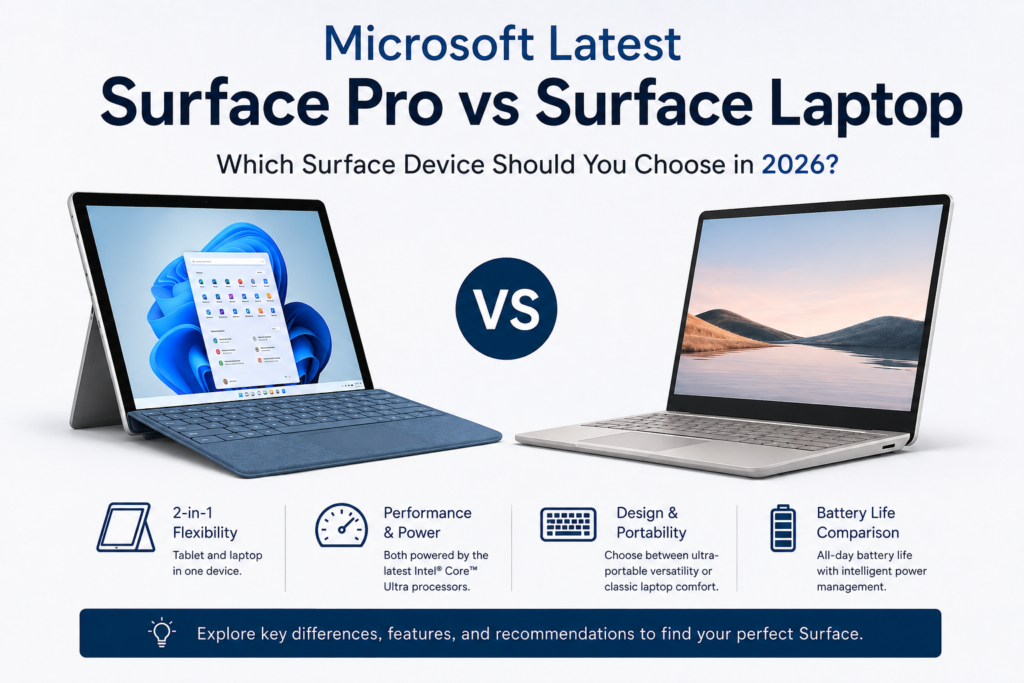
Microsoft Latest Surface Pro vs Surface Laptop: Quick Comparison
| Feature | Surface Pro | Surface Laptop |
|---|---|---|
| Form Factor | 2-in-1 tablet with detachable keyboard | Traditional clamshell laptop |
| Touchscreen | Yes | Yes |
| Stylus Support | Excellent | Limited |
| Keyboard | Detachable (optional) | Built-in |
| Portability | Extremely portable | Lightweight but larger |
| Battery Life | Excellent | Longer battery life |
| Best For | Students, creatives, travelers | Professionals, office work, developers |
Design and Build Quality
Surface Pro: Ultimate Flexibility
The latest Surface Pro remains Microsoft’s flagship 2-in-1 device. Thanks to its built-in kickstand and detachable keyboard, it easily transforms from a tablet into a full Windows laptop.
Key highlights include:
- Ultra-lightweight design
- Premium aluminum chassis
- Adjustable kickstand
- Surface Slim Pen support
- Ideal for note-taking and drawing
Whether you’re attending meetings, sketching concepts, or watching movies, the Surface Pro adapts to your workflow.
Surface Laptop: Classic Premium Experience
The latest Surface Laptop follows a traditional laptop design while offering one of the most refined Windows experiences available.
Benefits include:
- Comfortable full-size keyboard
- Large precision touchpad
- Sturdy hinge
- Premium aluminum finish
- Excellent typing experience
If your daily work involves writing, coding, spreadsheets, or multitasking, the Surface Laptop provides greater comfort during extended sessions.
Performance Comparison
Both devices are powered by Microsoft’s latest AI-ready processors designed for modern Windows experiences.
Surface Pro Performance
The Surface Pro excels at:
- Web browsing
- Office applications
- AI-assisted productivity
- Digital illustration
- Video conferencing
- Moderate photo editing
Its fan-efficient design keeps the device quiet while maintaining strong everyday performance.
Surface Laptop Performance
The Surface Laptop offers slightly better sustained performance due to its traditional cooling design.
It’s better suited for:
- Software development
- Heavy multitasking
- Video editing
- Large spreadsheets
- Creative workloads
- Professional productivity
For users who regularly push their computer with demanding applications, the Surface Laptop has a clear advantage.
Display Quality
Microsoft equips both devices with vibrant, high-resolution PixelSense displays.
Surface Pro Display
Advantages include:
- Touch-first experience
- Smooth high-refresh-rate display
- Outstanding stylus responsiveness
- Excellent color accuracy
- Tablet-friendly aspect ratio
Creative professionals and students who take handwritten notes will appreciate its versatility.
Surface Laptop Display
The Surface Laptop provides:
- Larger viewing area
- Comfortable reading experience
- Excellent brightness
- Rich colors
- Reduced reflections
It is ideal for long working hours and entertainment.
Battery Life
Battery life remains one of Microsoft’s strongest selling points.
Surface Pro
Expect excellent battery performance during:
- Web browsing
- Document editing
- Streaming
- Online meetings
However, intensive creative workloads may reduce runtime.
Surface Laptop
The Surface Laptop generally delivers longer battery life thanks to its larger battery and efficient thermal design.
This makes it an excellent option for:
- Business travelers
- Students
- Remote workers
- Frequent commuters
If all-day battery life is your priority, the Surface Laptop has the edge.
AI Features and Windows Experience
Microsoft has heavily integrated AI into its newest Surface devices.
Both models support modern AI-powered features such as:
- Microsoft Copilot
- AI-enhanced search
- Live captions
- Studio Effects for video calls
- Image generation
- Productivity assistance
- Intelligent battery optimization
Since both devices are optimized for Windows AI experiences, users receive similar software capabilities regardless of which model they choose.
Who Should Buy the Surface Pro?
Choose the Surface Pro if you:
- Want a tablet and laptop in one device
- Frequently travel
- Take handwritten notes
- Draw or design using a stylus
- Prefer maximum portability
- Attend classes or business meetings regularly
Its versatility makes it one of the best premium 2-in-1 Windows devices available.
Who Should Buy the Surface Laptop?
Choose the Surface Laptop if you:
- Type for several hours daily
- Work in Microsoft Office
- Need better sustained performance
- Want longer battery life
- Prefer a traditional laptop experience
- Spend most of your day at a desk
For professionals, developers, writers, and business users, the Surface Laptop is often the better long-term investment.
Microsoft Latest Surface Pro vs Surface Laptop: Final Verdict
Choosing between the latest Microsoft Surface Pro and Surface Laptop ultimately depends on how you work.
If flexibility, portability, and pen support are your priorities, the Surface Pro is the clear winner. Its 2-in-1 design makes it perfect for students, creatives, and professionals who are constantly on the move.
On the other hand, if you value keyboard comfort, sustained performance, and longer battery life, the Surface Laptop offers a more traditional computing experience without compromising Microsoft’s premium design and AI-powered features.
For most office users and professionals, the Surface Laptop provides the best balance of performance and usability. Meanwhile, those seeking maximum versatility will find the Surface Pro hard to beat.
Frequently Asked Questions (FAQ)
1. Which is better: Microsoft Surface Pro or Surface Laptop?
The Surface Pro is better for users who need a versatile 2-in-1 device with pen support, while the Surface Laptop is ideal for productivity, typing, and sustained performance.
2. Is the Surface Pro powerful enough for professional work?
Yes. The latest Surface Pro easily handles productivity tasks, online collaboration, content creation, and moderate creative workloads. Professionals needing intensive video editing or software development may benefit more from the Surface Laptop.
3. Which Surface device offers better battery life?
The Surface Laptop generally delivers longer battery life because of its larger battery and more efficient cooling system, making it better for extended workdays and travel.