


Finding the Best Tax Software for Freelancers and Independent Workers
I still remember April 14, 2013, with a level of dread usually reserved for root canals. I was sitting cross-legged on my living room rug at two in the morning, surrounded by faded thermal receipts from Staples, crumpled coffee shop invoices, and four different 1099-MISC forms. When I plugged my numbers into a basic, big-name filing website, the little red counter in the corner of the screen jumped to $4,380 owed. I nearly choked on my cold brew. Back then, nobody told me about the 15.3 percent self-employment tax, and I had no clue how to hunt down legitimate write-offs on my own.
If you work for yourself, you already know that tax season hits different. Choosing the best tax software for freelancers can mean the difference between a massive surprise bill from the IRS and keeping thousands of your hard-earned dollars in your checking account. According to recent labor studies from Upwork, roughly 64 million Americans performed independent work over the past year, pumping over $1.27 trillion into the U.S. economy. Yet most of us are still winging our bookkeeping until April rolls around.
Whether you are a full-time graphic designer, a weekend rideshare driver, or a consultant juggling six retainers, picking the best tax software for self-employed filing is one of the smartest business moves you can make. In this guide, I will walk you through the top 1099 tax software platforms on the market today, based on fifteen years of filing my own messy returns and testing these tools firsthand.
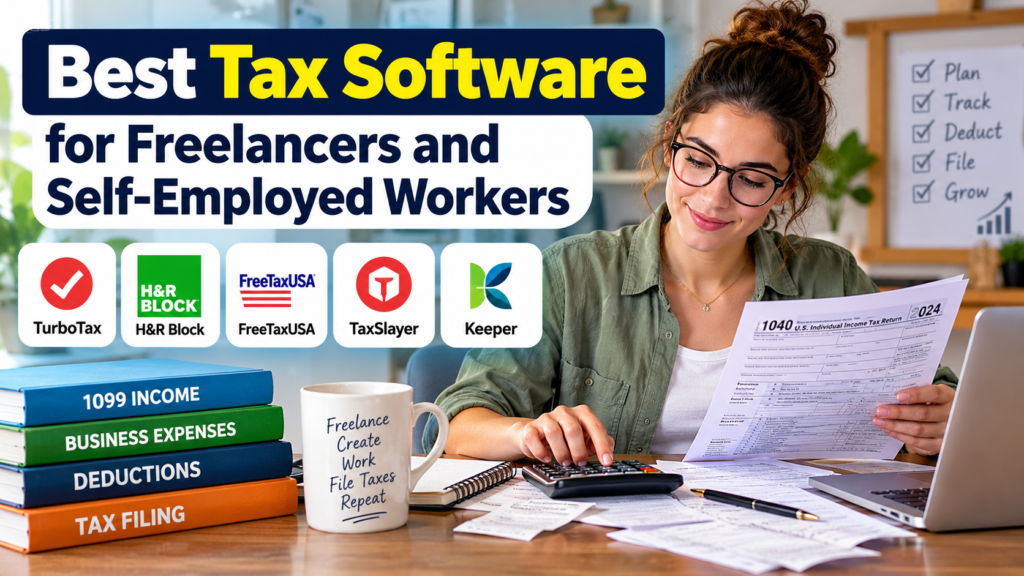
When you work a traditional W-2 job, taxes are almost boring. Your employer withholds your income tax, pays half of your Social Security and Medicare, and hands you a single piece of paper in January. You type six boxes into a free web form and wait for your refund.
Freelancing flips that entire table upside down. You are both the employee and the boss in the eyes of the government. That means you are on the hook for the full 15.3 percent self-employment tax on top of your regular federal and state income brackets. If you try to use a basic W-2 filing tier, the program will either lock you out the second you mention a 1099-NEC form or hit you with an aggressive upsell screen when you are already ninety percent done typing in your data.
Now, here’s the thing. The real danger of using a subpar program is not just paying too much for the software itself. It is leaving money on the table because the software did not know what questions to ask you. My longtime CPA friend Dave, who has prepared returns for independent contractors in Chicago for two decades, told me recently that new solo business owners overpay the IRS by an average of $1,200 to $1,800 a year simply because they are terrified of triggering an IRS audit protection flag. They skip valid Schedule C deductions like the home office deduction, business insurance, or half of their cell phone bill out of pure fear.
When you use the best tax software for freelancers, the program acts like a veteran bookkeeper looking over your shoulder. It translates arcane IRS tax codes into plain English and reminds you that the domain name you bought at midnight in October actually lowers your taxable income.
| Tax Software | Best For | Federal Cost (Self-Employed) | State Cost (Per State) | Standout Freelance Feature |
| FreeTaxUSA | Budget-minded pros with clean spreadsheets | $0 | $15.99 | Full Schedule C, home office, and QBI deduction support for zero federal fees |
| TurboTax Self-Employed | Beginners who want maximum hand-holding | $85 to $159 (varies by support tier) | Up to $49 | Industry-specific write-off prompts and direct QuickBooks imports |
| Keeper | Messy bookkeepers who mix bank accounts | Around $16 to $20 per month (billed annually) | Included in subscription | Year-round bank statement scanning via text message to catch forgotten write-offs |
| H&R Block Self-Employed | Filers who might want in-person office backup | $85 to $130 | $49 | Option to hand off a half-finished digital return to a local neighborhood tax pro |
| TaxSlayer Self-Employed | Side hustlers and fast repeat filers | $74.99 | $44.99 | Quick-jump menu that lets you skip irrelevant interview screens and go straight to 1099 forms |
Over the past decade and a half, I have personally paid for and filed with almost every major platform out there. Some made me want to throw my laptop out the window, while others saved my bacon in a matter of hours. Below is my honest breakdown of the best tax software for freelancers available this filing season.
If you already keep a neat spreadsheet of your income and expenses, paying two hundred bucks just to transmit digital forms to the government feels like highway robbery. That is where FreeTaxUSA shines. Despite having a name that sounds like a late-night infomercial from 1998, it is an IRS-authorized partner that handles complex self-employed returns with zero fuss.
Federal filing is completely free, even when you have multiple Schedule C forms, 1099-NECs, 1099-Ks, and home office depreciation. You only pay around $14.99 for your state return. If you want live chat access to a tax pro or audit defense, you can tack those on for tiny single-digit fees.
The catch is that FreeTaxUSA does not hold your hand quite as tightly as its pricier competitors. It expects you to know what a business expense is rather than quizzing you with cute icons about your job. For pros who track their numbers all year, it is easily the best tax software for freelancers on a budget.
Everybody knows Intuit’s flagship tool, and there is a reason it dominates the market. TurboTax Home and Business (often marketed online as TurboTax Premium for self-employed filers) is built for people who break out in hives when they see an IRS worksheet. Instead of dumping a blank Schedule C on your screen, it asks what you do for a living and tailors its interview to your specific trade. Tell it you are a freelance photographer, and it immediately asks about camera lenses, studio rentals, editing subscriptions, and mileage to shoots.
The pros here are obvious: the user interface is gorgeous, you can snap photos of your 1099s with your phone to import them instantly, and the industry-specific write-off prompts are top-notch. Plus, if you use QuickBooks Self-Employed during the year, your data pulls right in with two clicks.
On the flip side, you will pay a steep price for that convenience. By the time you file after the early-season discounts expire, federal and state returns together can easily run you $170 to $220 or more, especially if you click yes on live expert assistance.
Most 1099 tax software only wakes up in February when you log in to file. Keeper takes a completely different route. It links directly to your bank accounts and credit cards to scan your purchases all year long, using a mix of smart algorithms and human tax assistants to text you when it spots a potential business write-off. Bought a new microphone on Amazon in July? Keeper sends you a quick message asking if it was for work, and logs it onto your Schedule C right then and there.
According to internal data from Keeper, the average independent worker discovers thousands in forgotten expenses by scanning past bank statements rather than relying on memory in April. When tax time hits, you can file your federal and state returns right inside the app, and a human reviewer checks your return before it goes to the IRS.
The downside is the subscription model. You pay an annual or monthly fee that works out to roughly $16 to $20 a month depending on the tier, though the tax savings usually cover that cost within the first week of scanning old statements.
Sometimes a digital screen just does not cut it. Maybe you moved across state lines mid-year, bought a rental property, or had a weird mix of W-2 severance and freelance consulting income. H&R Block Self-Employed gives you a clean, conversational online filing experience that rivals TurboTax, but at a slightly lower price point—usually saving you twenty to thirty dollars across federal and state filings.
What really sets H&R Block apart as a contender for the best tax software for self-employed workers is its brick-and-mortar footprint. If you get halfway through your digital return and realize you are in way over your head, you can hand your file off to a real human in one of their thousands of neighborhood offices without starting from scratch. Their interface also handles tricky items like the Qualified Business Income deduction and vehicle depreciation without making your head spin.
If you have a nine-to-five job and run a freelance copywriting or dog-walking gig on the side, TaxSlayer Self-Employed hits a nice sweet spot between price and guidance. Priced around $65 to $75 for federal filing before state fees, it costs roughly half of what the giant brands charge while still giving you solid access to 1099 support and quarterly estimated taxes reminders.
In my experience, TaxSlayer’s best feature is its “jump to” navigation menu. If you already know you need to enter four 1099-NEC forms and a mileage log, you do not have to click through forty screens about boat donations and farm equipment. You just jump straight to the Schedule C section, punch in your numbers, and move on with your afternoon. Their customer support line also includes access to pros who specialize in self-employment rules, which is a huge relief when you hit a snag with state local taxes.
To show you how much your choice of software matters in the real world, let me tell you about two friends of mine from my coworking group.
First up is Marcus, a motion graphics designer in Austin. For three years straight, Marcus waited until April 10, opened a basic tax program, typed in his 1099 totals, claimed his Adobe Creative Cloud subscription, and paid whatever the screen told him to pay. Last year, after complaining to me over tacos about a $6,100 tax bill, he ran his cards through Keeper and then double-checked the numbers inside H&R Block Self-Employed. Between forgotten stock footage licenses, client lunches, a portion of his high-speed fiber internet, and his home studio square footage, he uncovered $4,150 in legitimate business expenses he had completely ignored. That shaved over a thousand bucks right off his IRS bill.
Then there is Sarah, a technical writer who has been freelancing for nine years. Sarah is hyper-organized. Every Friday afternoon, she updates a Google Sheet with her paid invoices and her minimal expenses—mostly web hosting and a coworking desk pass. For years, she shelled out nearly $200 every spring to use TurboTax simply out of habit. Why pay two hundred bucks for someone to ask if you bought a stapler when you already have a color-coded spreadsheet sitting on your desktop? Last spring, she switched to FreeTaxUSA. Her final tax liability was identical to the penny, the process took her forty minutes, and she spent the $185 she saved on a celebratory steak dinner.
Not every freelancer runs the same kind of business. A wedding videographer hauling thirty thousand dollars of depreciated camera gear across three states has totally different filing needs than a virtual assistant working from a kitchen table on a single MacBook. Before you pull out your credit card to pay for the best tax software for freelancers, run through these five checkpoints to see which platform actually fits your workflow:
- Check how you receive your money: If clients pay you through Stripe, PayPal, or Venmo, you are going to deal with 1099-K forms alongside traditional 1099-NECs. Make sure the software lets you easily reconcile duplicate reporting so you do not accidentally pay taxes on the same invoice twice.
- Look at your state filing situation: Did you work in one state all year, or did you move? If you owe taxes in two states, cheap platforms with high per-state fees can suddenly cost more than a flat-rate bundle.
- Be honest about your receipt habits: If your expenses live in a messy inbox and three different bank accounts, you need a tool that imports bank feeds or scans CSV files rather than one that requires manual math.
- Factor in asset depreciation: Bought a new $3,000 computer, a company car, or heavy machinery? You need software that walks you through Section 179 expensing versus multi-year depreciation without requiring an accounting degree.
- Add up the real checkout price: Almost every tax company advertises a low teaser rate in January and hikes the price in late March. Always check the cost of the self-employed tier plus the state return fee plus any e-file charges before you spend two hours typing in your personal info.
But wait, there’s more to surviving tax season than just picking an app. Even the best tax software for freelancers can only work with the numbers you feed into it. According to IRS statistics, sole proprietors consistently make up one of the most scrutinized groups for math and reporting discrepancies, mostly because folks mix personal and business cash or guess their mileage with nice, round numbers. Writing down that you drove 10,000 miles for work looks like a giant red flare to an IRS computer. Writing down 9,842 miles backed by a digital log looks like the truth.
In my experience, the biggest mistake independent workers make is being too timid with legal write-offs while being too sloppy with documentation. You want to claim every single dollar the tax code allows, which, let’s be honest, nobody got time for digging through twelve months of paper bank statements on April 14 when client deadlines are breathing down your neck. When you sit down with your 1099 tax software this year, keep this checklist next to your keyboard so you do not leave cash behind:
- The Qualified Business Income (QBI) Deduction: Under Section 199A, eligible self-employed folks can often deduct up to 20 percent of their net business income right off the top of their federal income taxes. Good software calculates this automatically, so make sure that line item is populated on your final review.
- Self-Employed Health Insurance Premiums: If you pay for your own medical, dental, or vision coverage and are not eligible for a spouse’s employer plan, those premiums are generally an above-the-line deduction.
- The Simplified Home Office Deduction: Scared of complex depreciation schedules? The IRS lets you claim $5 per square foot of your dedicated workspace (up to 300 square feet, for a flat $1,500 write-off) with zero complicated math.
- Payment Processing and Platform Fees: If Upwork, Fiverr, Etsy, or Stripe takes a cut of your gross invoice before the money hits your bank account, those merchant fees are 100 percent deductible business expenses.
- Retirement Contributions: Putting money into a SEP IRA or a Solo 401(k) before the tax filing deadline can drop your taxable income by thousands of dollars while building your future nest egg.
- Half of Your Self-Employment Tax: While you do have to pay the full 15.3 percent Medicare and Social Security tax, the IRS lets you deduct the “employer” half (7.65 percent) when calculating your adjusted gross income.
Filing taxes as a solo business owner does not have to involve a three-day panic attack and a drained savings account. Once you match your bookkeeping style with the right platform, the whole ordeal shrinks down to a manageable afternoon project.
If your finances are already neatly tallied in a spreadsheet, skip the expensive upsells and head straight to FreeTaxUSA. If your receipts are scattered across three credit cards and you want step-by-step guidance that leaves no write-off behind, invest in Keeper or TurboTax Home and Business. And if you want the safety net of a local human pro down the street, H&R Block Self-Employed has your back.
Do your future self a massive favor today. Pick the best tax software for freelancers that fits your budget, create a dedicated folder on your computer for this year’s 1099 forms and PDF receipts right now, and take control of your numbers long before April creeps up on you. Your bank account will thank you.
Editorial Disclaimer: The content provided on this page is for general informational and educational purposes only. Nothing contained herein should be construed as personalized financial, tax, or legal counsel. Readers should not act upon this information without seeking professional advice from a qualified CPA, Enrolled Agent, or tax attorney licensed in their jurisdiction.Software prices and IRS rules apply to the current filing season and are subject to change without notice.