


NotebookLM: The Complete Guide to Google’s AI Research Assistant
Researching information often means jumping between PDFs, websites, videos, presentations, and notes. That can get messy fast. NotebookLM offers a simpler approach by bringing your sources into one workspace and letting you ask questions about them.
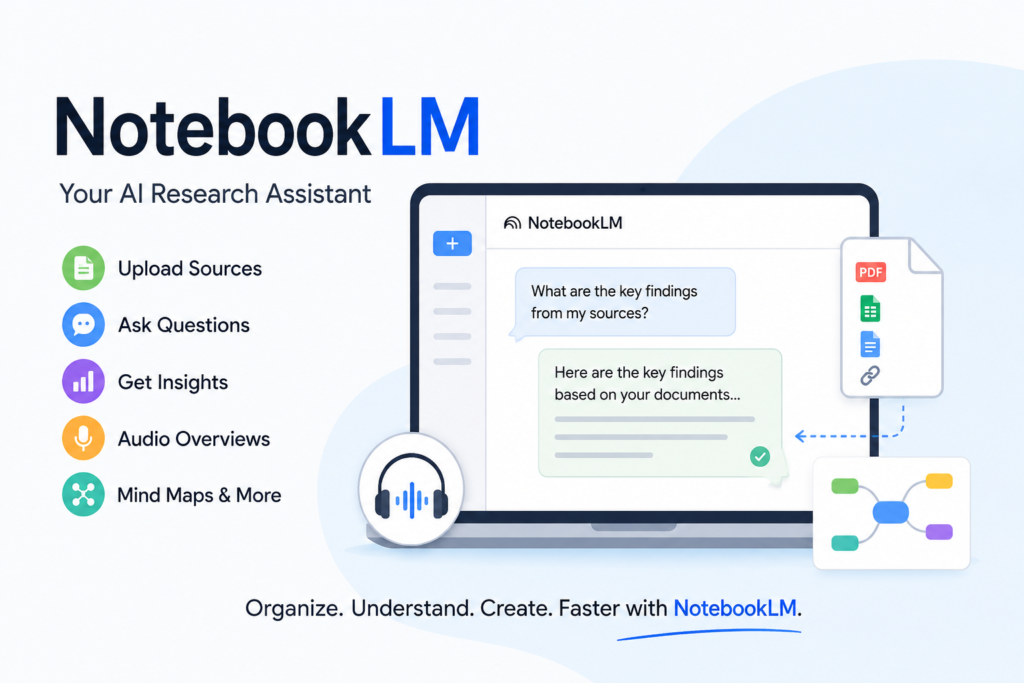
Google describes NotebookLM as an AI-powered research assistant designed to help users organize and understand information. You can add sources such as PDFs, websites, YouTube videos, audio files, Google Docs, Google Slides, Microsoft Word files, and more. NotebookLM then lets you chat with those sources and generate useful formats such as study guides, reports, mind maps, and Audio Overviews.
This guide explains what NotebookLM is, how it works, its most useful features, and how beginners, business owners, and tech-savvy users can get more from it.
What Is NotebookLM?
NotebookLM is a source-focused AI research tool from Google. Instead of asking an AI to answer questions from broad general knowledge, you give NotebookLM a collection of specific materials and ask questions about those materials.
That distinction is important.
For example, imagine you have a 100-page industry report. Rather than reading every page manually, you can upload the document and ask:
- What are the five biggest findings?
- What risks are mentioned?
- Which statistics support the main conclusion?
- Create a brief summary for my team.
- Compare the recommendations in sections three and five.
NotebookLM can answer using the sources in your notebook and provide inline citations that help you trace information back to the original material.
How Does NotebookLM Work?
Getting started is relatively straightforward.
1. Create a Notebook
A notebook is a collection of sources for one project or topic. Each notebook works independently, so NotebookLM does not automatically combine information across separate notebooks.
You could create separate notebooks for:
- A college research project
- A business plan
- A marketing campaign
- Competitor research
- Product documentation
- Personal learning
Keeping related information together makes questions and summaries more focused.
2. Add Your Sources
NotebookLM supports many source types, including PDF, DOCX, TXT, Markdown, CSV, PowerPoint, images, Google Docs, Google Slides, Google Sheets, web URLs, ePub files, public YouTube videos, and audio files. Google also supports source discovery through web and Drive search.
For YouTube, NotebookLM primarily imports the video’s transcript, so videos need captions to work as sources.
3. Ask Questions
Once your sources are loaded, you can use the chat interface to ask questions about them.
The more specific your question, the more useful the response tends to be. Instead of asking, “Summarize this,” try something like:
“Summarize the report’s main findings in five bullet points and include the evidence supporting each point.”
This gives you a clearer and more practical result.
Key NotebookLM Features
NotebookLM has expanded beyond basic document summarization. Google currently offers several tools designed to turn source material into different types of outputs.
Source-Grounded Answers
One of NotebookLM’s biggest advantages is its focus on your selected sources. The system is designed to ground its answers in the materials inside your notebook and display inline citations.
That can be useful when working with research papers, company documents, technical guides, or other information where source traceability matters.
Audio Overviews
NotebookLM Audio Overviews turn source material into an AI-generated discussion between hosts. Google currently offers formats including Deep Dive, The Brief, The Critique, and The Debate, with controls for language, length, and customization.
This is particularly useful when you want to learn while commuting, exercising, or doing routine tasks.
However, Google warns that Audio Overviews can contain inaccuracies or audio glitches, so important information should still be checked against the original sources.
Mind Maps
Mind Maps help turn complex source material into a more visual structure. This can be useful for understanding relationships between concepts, organizing research, or getting an overview of a large topic.
Reports, Study Guides, and Briefings
NotebookLM can generate reports and other structured outputs from your sources. Available options include formats such as FAQs, study guides, and briefing documents. Reports can also be exported to Google Docs, while generated data tables can be exported to Google Sheets.
Flashcards and Quizzes
Students and professionals can turn source material into flashcards and quizzes for review. Google lists both among NotebookLM’s current Studio features.
How Small Business Owners Can Use NotebookLM
NotebookLM is not only for students.
A small business owner could create a notebook containing product documentation, customer research, internal reports, competitor information, and marketing materials.
You could then ask questions such as:
“What customer problems appear most frequently across these documents?”
Or:
“Create a one-page briefing for my sales team based on these product documents.”
It can also help organize meeting notes, understand lengthy proposals, summarize industry reports, and prepare internal briefing materials.
The key benefit is reducing the time spent manually searching through multiple documents.
How Students and Researchers Can Use NotebookLM
For students, NotebookLM can act like a study companion built around assigned material.
You can upload lecture notes, research papers, textbooks, and other course resources. Then ask for summaries, explanations, flashcards, quizzes, or comparisons.
Researchers can use it to quickly explore large collections of source material and identify recurring themes or important details.
Still, NotebookLM should support your research rather than replace your judgment. Always check quotations, statistics, interpretations, and important conclusions against the original sources.
NotebookLM vs. Traditional AI Chatbots
The major difference is the role of your sources.
A general AI chatbot can answer questions across many subjects. NotebookLM is designed around a specific collection of materials.
That makes NotebookLM particularly attractive when your question is:
“What do these documents say?”
rather than:
“What does the internet say about this topic?”
Google also distinguishes NotebookLM from notebooks available inside Gemini. NotebookLM answers are grounded exclusively in notebook sources, while Gemini may use notebook sources along with web search and other tools.
What Are the Limitations of NotebookLM?
NotebookLM is powerful, but it is not perfect.
AI-generated answers can contain mistakes, and generated audio can also have inaccuracies.
There are also practical source limitations. For example, Google says free users can currently include up to 50 sources per notebook, with individual uploaded files subject to size and word-count limits.
Another important point is that NotebookLM does not automatically understand everything outside the sources in your notebook. The quality of the result depends heavily on the quality and relevance of the information you provide.
Is NotebookLM Worth Trying?
For anyone who regularly works with large amounts of information, NotebookLM is worth exploring.
Beginners can use it to summarize documents and learn faster. Students can use it for study materials. Researchers can organize source collections. Small business owners can turn scattered documents into useful briefings and reports.
The biggest advantage is simple: instead of repeatedly searching through your information, you can ask questions directly against the material you already have.
Frequently Asked Questions
Is NotebookLM free?
NotebookLM has a free version, while Google also offers upgraded plans with higher limits and additional features. Exact limits and availability can vary by account and plan.
Can NotebookLM summarize PDFs and websites?
Yes. NotebookLM supports PDF files and web URLs, along with many other source types. You can ask questions about the information contained in those sources.
Is NotebookLM better than ChatGPT for research?
It depends on the task. NotebookLM is especially useful when you want answers grounded in a defined set of documents. A general AI chatbot may be more suitable when you need broader research, brainstorming, coding, or information beyond your uploaded sources.
Final Thoughts
NotebookLM is designed for a specific problem: making large collections of information easier to understand and use.
Its source-based chat, citations, Audio Overviews, reports, mind maps, quizzes, and other tools make it useful for learning, research, business, and everyday productivity.
The best way to understand its value is to try it with a real project. Gather a few useful documents, create a notebook, and start asking focused questions about the information you already have.