


ChatGPT Commands: Complete List by Category
ChatGPT can do far more than answer questions. With the right instructions, you can use it to write articles, analyze data, create marketing ideas, explain complicated topics, debug code, plan projects, summarize information, and improve everyday productivity.
But there is one thing worth clarifying: ChatGPT does not have a single official list of fixed commands like a traditional command-line program. Most “ChatGPT commands” are natural-language instructions that tell the AI what you want it to do and how you want the response formatted.
This guide provides a comprehensive ChatGPT commands list organized by category. You can copy, customize, and use these commands for writing, SEO, business, coding, research, education, productivity, marketing, and many other tasks.
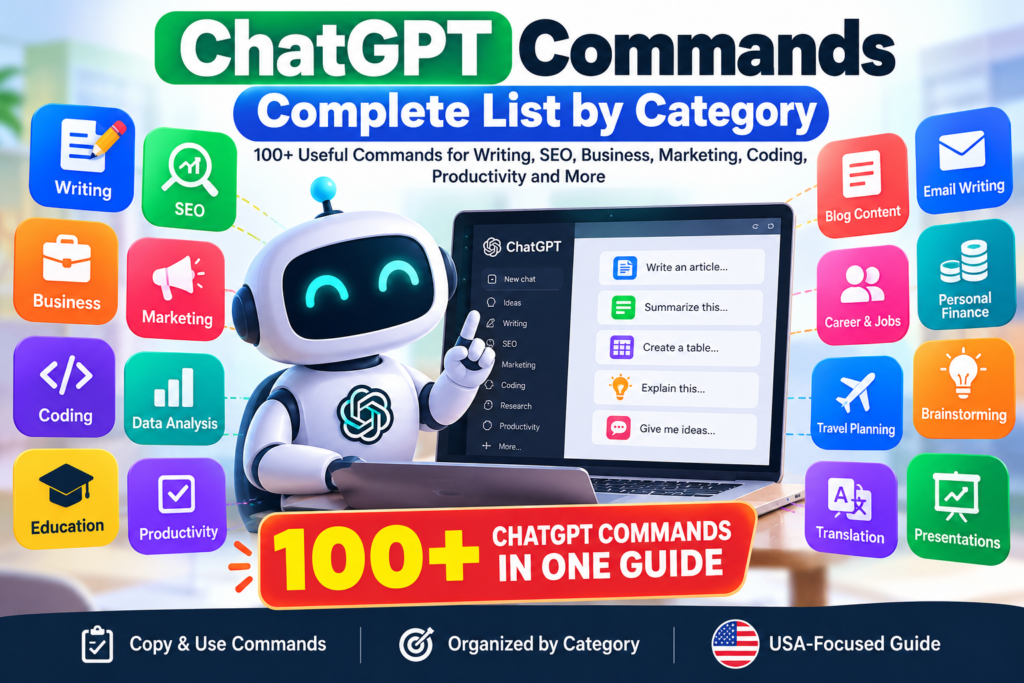
What Are ChatGPT Commands?
A ChatGPT command is an instruction you give ChatGPT to perform a specific task.
For example:
“Summarize this article in five bullet points.”
Or:
“Rewrite this email in a professional but friendly tone.”
You don’t need special symbols or programming syntax. The clearer your instruction, the easier it is for ChatGPT to understand the desired result.
A useful command usually includes four elements:
Task + Context + Requirements + Output format
For example:
“Write a 1,000-word beginner-friendly article about personal budgeting for a US audience. Use short paragraphs, H2 headings, practical examples, and five FAQs.”
ChatGPT Commands Quick Reference
Here are some of the most useful commands to get started.
| Command | Best Use |
|---|---|
| Explain this | Understanding a topic |
| Summarize this | Shortening information |
| Rewrite this | Improving existing content |
| Simplify this | Making content easier to understand |
| Expand this | Adding useful detail |
| Compare these | Comparing two or more options |
| Give me examples | Understanding through examples |
| Create a list | Organizing information |
| Create a table | Structuring information |
| Analyze this | Reviewing information |
| Check for errors | Finding mistakes |
| Translate this | Translation |
| Brainstorm ideas | Generating ideas |
| Create a step-by-step guide | Learning or completing a task |
| Act as a [role] | Setting a useful perspective |
| Follow these instructions | Controlling the output |
1. Basic ChatGPT Commands
These are useful for almost any conversation.
Explain a topic
Explain [TOPIC] in simple terms for a beginner.
Explain like I’m a beginner
Explain [TOPIC] as if I have no previous knowledge of it.
Summarize information
Summarize the following text in five key points: [TEXT]
Create a short summary
Give me a 100-word summary of the following content: [TEXT]
Simplify content
Rewrite this content in simple, easy-to-understand English: [TEXT]
Expand an idea
Expand this idea into a detailed explanation with practical examples: [IDEA]
Give examples
Explain [TOPIC] and give me five real-world examples.
Compare two things
Compare [OPTION A] and [OPTION B]. Show the major differences in a table.
Create a checklist
Turn the following information into a practical checklist: [TEXT]
Create a step-by-step guide
Create a beginner-friendly step-by-step guide for [TASK].
2. ChatGPT Commands for Writing
ChatGPT can help with everything from short messages to long-form articles.
Write an article
Write a detailed article about [TOPIC] for [AUDIENCE]. Use a conversational and authoritative tone.
Create an introduction
Write an engaging introduction for an article about [TOPIC]. Address the reader’s main problem immediately.
Improve an introduction
Rewrite this introduction to make it more engaging while preserving the original meaning: [TEXT]
Rewrite content
Rewrite this content in a natural, professional and conversational tone: [TEXT]
Make writing more concise
Make this paragraph more concise without removing important information: [TEXT]
Make writing more persuasive
Rewrite this copy to make it more persuasive without sounding aggressive or exaggerated: [TEXT]
Improve readability
Rewrite this content for better readability using shorter sentences and clear language: [TEXT]
Change the tone
Rewrite this message in a friendly and professional tone: [TEXT]
Create an outline
Create a detailed outline for a 2,000-word article about [TOPIC].
Generate headlines
Give me 20 compelling headline ideas for an article about [TOPIC].
Create a conclusion
Write a concise conclusion that summarizes the main points and gives readers a practical takeaway.
3. ChatGPT Commands for SEO
SEO is one of the most useful applications of ChatGPT for bloggers, affiliate marketers, and businesses.
Find keyword ideas
Generate relevant SEO keyword ideas for [TOPIC] targeting users in the United States.
Identify search intent
Analyze the search intent behind the keyword “[KEYWORD]” and explain what type of content is most likely to satisfy the searcher.
Create an SEO title
Create 10 SEO-friendly titles for an article targeting the keyword “[KEYWORD].”
Write a meta description
Write five compelling meta descriptions for “[KEYWORD]” under 155 characters.
Create an SEO outline
Create an SEO-focused content outline for “[TOPIC]” targeting the primary keyword “[KEYWORD]” and related search terms.
Find semantic keywords
Generate relevant semantic and related keywords for “[PRIMARY KEYWORD].”
Create FAQs
Generate 10 frequently asked questions that users may search for about “[TOPIC].”
Optimize a heading structure
Create an SEO-friendly H1, H2 and H3 heading structure for an article about “[TOPIC].”
Improve an existing article
Analyze this article for SEO, readability, search intent and topical coverage. Suggest specific improvements: [ARTICLE]
Create internal linking ideas
Suggest relevant internal linking opportunities for this article based on these existing topics: [LIST]
Create a product description
Write an SEO-friendly product description for [PRODUCT] targeting US shoppers.
Create an affiliate article outline
Create a high-commercial-intent affiliate article outline about [PRODUCT CATEGORY] for a US audience.
4. ChatGPT Commands for Blog Content
Generate blog topics
Give me 30 blog topic ideas about [NICHE] that target informational and commercial search intent.
Find content gaps
Identify potential content gaps around [TOPIC] that a new website could cover.
Create a content cluster
Build a topical content cluster around [MAIN TOPIC], including pillar and supporting articles.
Create a content calendar
Create a 30-day content calendar for a website about [NICHE].
Turn one article into multiple pieces of content
Turn this article into a LinkedIn post, Facebook post, X post, email newsletter and Instagram caption: [ARTICLE]
Create article FAQs
Create five useful FAQs for an article about [TOPIC]. Provide concise answers based on reliable information.
5. ChatGPT Commands for Business
ChatGPT can assist with planning, strategy, customer research and business communication.
Business idea generation
Give me 20 online business ideas based on [SKILL/NICHE/BUDGET].
Business plan
Create a detailed business plan for a [TYPE OF BUSINESS] targeting [AUDIENCE].
SWOT analysis
Create a SWOT analysis for [BUSINESS/PRODUCT].
Competitor analysis
Create a competitor-analysis framework for [BUSINESS] and identify the factors I should compare.
Customer persona
Create three detailed customer personas for [PRODUCT/SERVICE].
Value proposition
Create five value propositions for [BUSINESS] targeting [AUDIENCE].
Business strategy
Develop a practical growth strategy for a small business in [INDUSTRY].
Meeting agenda
Create a professional meeting agenda for a meeting about [TOPIC].
Meeting summary
Turn these meeting notes into a concise summary with decisions, action items and owners: [NOTES]
6. ChatGPT Commands for Marketing
Marketing strategy
Create a 90-day marketing strategy for [BUSINESS] targeting [AUDIENCE].
Social media strategy
Create a social media strategy for [BRAND] targeting [AUDIENCE].
Ad copy
Write 10 Google Ads headlines and four descriptions for [PRODUCT/SERVICE].
Facebook ad
Write three Facebook ad variations for [PRODUCT] targeting [AUDIENCE].
Instagram caption
Write an engaging Instagram caption for [PRODUCT/TOPIC] with a clear call to action.
Email campaign
Create a five-email marketing campaign for [PRODUCT/SERVICE].
Landing page
Write landing-page copy for [PRODUCT/SERVICE], including headline, benefits, features, objections and CTA.
Call to action
Give me 20 short call-to-action ideas for [PRODUCT/SERVICE].
Marketing hooks
Give me 30 attention-grabbing marketing hooks for [TOPIC].
7. ChatGPT Commands for Copywriting
Product copy
Write persuasive product copy for [PRODUCT] focusing on customer benefits rather than just features.
Sales copy
Write sales copy for [PRODUCT] targeting [AUDIENCE].
AIDA framework
Write marketing copy for [PRODUCT] using the Attention, Interest, Desire and Action framework.
PAS framework
Write copy for [PRODUCT] using the Problem, Agitate, Solution framework.
Rewrite sales copy
Rewrite this sales copy to make it more persuasive, trustworthy and benefit-focused: [TEXT]
8. ChatGPT Commands for Email Writing
Professional email
Write a professional email about [SUBJECT].
Follow-up email
Write a polite follow-up email regarding [SUBJECT] without sounding pushy.
Customer-service email
Write a friendly customer-service response to this complaint: [COMPLAINT]
Cold email
Write a concise cold email introducing [PRODUCT/SERVICE] to [AUDIENCE].
Email subject lines
Give me 20 email subject lines for an email about [TOPIC].
Email proofreading
Proofread this email for grammar, clarity and professionalism without changing its intended meaning: [EMAIL]
9. ChatGPT Commands for Coding
ChatGPT can be useful for programmers at different experience levels.
Generate code
Write [LANGUAGE] code that [TASK].
Explain code
Explain this code line by line for a beginner: [CODE]
Debug code
Find the errors in this code and explain how to fix them: [CODE]
Optimize code
Optimize this code for readability and performance while preserving its functionality: [CODE]
Add comments
Add clear comments to this code explaining the important sections: [CODE]
Convert code
Convert this [LANGUAGE] code to [TARGET LANGUAGE].
Write tests
Create unit tests for this function and include edge cases: [CODE]
Find security issues
Review this code for common security vulnerabilities and explain how they could be addressed: [CODE]
Explain an API
Explain how this API works and show a basic example of how to use it: [API DETAILS]
10. ChatGPT Commands for Data Analysis
If you provide a dataset or relevant data, ChatGPT can help organize and interpret it.
Analyze data
Analyze this dataset and identify the most important trends: [DATA]
Find outliers
Identify potential outliers in this dataset and explain why they may be unusual: [DATA]
Compare periods
Compare the results from these two periods and highlight the largest changes: [DATA]
Calculate percentages
Calculate the percentage change between these values: [VALUES]
Create a summary
Create an executive summary of this data for a business manager: [DATA]
Explain findings
Explain these data-analysis results in simple language for a non-technical audience: [RESULTS]
11. ChatGPT Commands for Research
Research questions
Generate 15 research questions about [TOPIC].
Research outline
Create a structured research outline for [TOPIC].
Compare sources
Compare the information in these sources and identify areas where they agree or disagree: [SOURCES]
Summarize supplied research
Summarize this research into key findings, supporting evidence and limitations: [TEXT]
Identify information gaps
Based only on the information provided, identify areas that require additional research: [TEXT]
When using ChatGPT for research, verify important claims against primary or authoritative sources. ChatGPT can help organize and analyze information, but users should not automatically treat generated statements as verified facts.
12. ChatGPT Commands for Students
Explain a lesson
Explain [TOPIC] in simple language suitable for a beginner.
Create study notes
Turn these notes into organized study notes with headings and bullet points: [NOTES]
Create flashcards
Create 20 study flashcards from this material: [TEXT]
Create a quiz
Create a 15-question quiz about [TOPIC], including answers at the end.
Practice questions
Create 20 practice questions about [SUBJECT] ranging from easy to difficult.
Study plan
Create a seven-day study plan for [SUBJECT] based on these topics: [TOPICS]
Explain a difficult concept
Explain [CONCEPT] using a simple analogy and a real-world example.
13. ChatGPT Commands for Productivity
Daily schedule
Create a realistic daily schedule based on these tasks: [TASKS].
Prioritize tasks
Prioritize these tasks using urgency and importance: [TASKS].
To-do list
Turn these notes into an organized to-do list: [NOTES]
Project plan
Create a step-by-step project plan for [PROJECT].
Weekly planning
Create a weekly productivity plan based on these goals: [GOALS].
Time management
Help me create a practical time-management system for these responsibilities: [RESPONSIBILITIES].
Decision-making
Help me compare these options using cost, benefits, risks and long-term impact: [OPTIONS]
14. ChatGPT Commands for Career and Jobs
Resume improvement
Rewrite my resume bullet points to be concise, achievement-focused and professional: [TEXT]
Resume summary
Write a professional resume summary for someone with experience in [FIELD].
Cover letter
Write a tailored cover letter for this job description: [JOB DESCRIPTION]
Interview questions
Generate 20 interview questions for a [JOB TITLE] position.
Interview practice
Act as an interviewer for a [JOB TITLE] position. Ask me one question at a time and provide feedback on my answers.
LinkedIn profile
Rewrite my LinkedIn About section to sound professional, credible and approachable: [TEXT]
15. ChatGPT Commands for Personal Finance
ChatGPT can help organize financial information and explain concepts, but financial decisions should be checked against reliable sources and, where appropriate, a qualified professional.
Budget
Create a monthly budget using these income and expense figures: [DATA]
Expense analysis
Categorize these expenses and identify areas where I may be able to reduce spending: [EXPENSES]
Savings plan
Create a realistic savings plan based on this income, expenses and savings goal: [DATA]
Explain a financial term
Explain [FINANCIAL TERM] in simple language and give an example.
Compare financial options
Create a neutral comparison of these financial options, including fees, benefits, risks and important considerations: [OPTIONS]
16. ChatGPT Commands for Travel Planning
Trip itinerary
Create a [NUMBER]-day itinerary for [DESTINATION] based on these interests: [INTERESTS].
Travel budget
Create a travel budget for a [NUMBER]-day trip to [DESTINATION].
Packing list
Create a packing list for a [NUMBER]-day trip to [DESTINATION] during [SEASON].
Travel comparison
Compare [DESTINATION A] and [DESTINATION B] based on cost, attractions, weather and suitability for [TRAVELER TYPE].
Always verify current opening hours, prices, entry requirements, transportation schedules and travel advisories before making arrangements.
17. ChatGPT Commands for Creative Writing
Story idea
Give me 10 original story ideas based on [THEME].
Character creation
Create a detailed fictional character for a [GENRE] story.
Story outline
Create a three-act story outline about [IDEA].
Dialogue
Write a realistic dialogue between two fictional characters who disagree about [TOPIC].
Rewrite a scene
Rewrite this fictional scene with more tension and stronger dialogue: [TEXT]
Poetry
Write an original poem about [TOPIC] in a [STYLE/TONE] mood.
18. ChatGPT Commands for Brainstorming
Generate ideas
Give me 30 ideas for [PROJECT/TOPIC].
Improve an idea
Analyze this idea and suggest five ways to make it more useful or distinctive: [IDEA]
Find alternatives
Give me 15 alternatives to [IDEA/PHRASE/APPROACH].
Think from different perspectives
Analyze this problem from the perspective of a customer, business owner, marketer and competitor.
Challenge an idea
Act as a critical reviewer. Identify the weaknesses, assumptions and potential risks in this idea: [IDEA]
19. ChatGPT Commands for Summarizing Information
You can use different summary commands depending on what you need.
One-sentence summary
Summarize this in one sentence: [TEXT]
Bullet-point summary
Summarize this content in 10 bullet points: [TEXT]
Executive summary
Create an executive summary highlighting the most important findings and recommendations: [TEXT]
Beginner summary
Explain the key points in this text for someone who has no background knowledge: [TEXT]
Action summary
Summarize this information and list the actions that should be taken next: [TEXT]
20. ChatGPT Commands for Translation
Basic translation
Translate the following text from English to Spanish: [TEXT]
Natural translation
Translate this into natural, conversational Spanish while preserving the original meaning: [TEXT]
Professional translation
Translate this into professional French suitable for a business email: [TEXT]
Preserve formatting
Translate this text while preserving the headings, bullet points and formatting: [TEXT]
For important legal, medical or official documents, professional human review may still be appropriate.
21. ChatGPT Commands for Tables
Tables are useful when information needs to be compared or organized.
Comparison table
Compare [ITEMS] in a table using price, features, advantages, disadvantages and ideal user.
Pros and cons table
Create a pros-and-cons table for [OPTION].
Decision table
Create a decision matrix comparing these options using the following criteria: [CRITERIA].
Content table
Organize these ideas into a table with columns for topic, keyword, search intent and content type: [DATA]
22. ChatGPT Commands for Different Tones
You can control the style of an answer by explicitly specifying the tone.
Professional
Rewrite this in a professional tone: [TEXT]
Conversational
Rewrite this in a natural and conversational tone: [TEXT]
Friendly
Rewrite this to sound warm, friendly and approachable: [TEXT]
Persuasive
Rewrite this to be persuasive while maintaining credibility: [TEXT]
Concise
Make this response concise while preserving the essential information: [TEXT]
Authoritative
Rewrite this in an authoritative expert tone without using unnecessary jargon: [TEXT]
Beginner-friendly
Rewrite this so a complete beginner can easily understand it: [TEXT]
23. ChatGPT Commands for Formatting
You can tell ChatGPT exactly how you want information presented.
Bullet points
Convert this information into concise bullet points: [TEXT]
Numbered steps
Convert this process into a numbered step-by-step guide: [TEXT]
Table
Convert this information into a comparison table: [TEXT]
Checklist
Turn this into a checklist with actionable items: [TEXT]
FAQ
Convert these questions and answers into a clean FAQ section: [TEXT]
JSON
Return the information as valid JSON with the following fields: [FIELDS]
When requesting structured formats such as JSON, specify the exact fields and constraints you need.
24. ChatGPT Commands for Role-Based Tasks
One useful technique is to tell ChatGPT what perspective or role to use.
For example:
Act as an SEO strategist and analyze this article for search intent.
Or:
Act as a senior software developer and review this code.
Other useful role instructions include:
- Act as an editor
- Act as a teacher
- Act as a marketing strategist
- Act as a business analyst
- Act as a product manager
- Act as a career coach
- Act as a copywriter
- Act as a researcher
- Act as a project manager
- Act as a customer-service representative
The role should be relevant to the task. A role instruction can help establish context, but it does not replace specific requirements.
25. Advanced ChatGPT Command Formula
For more complex tasks, use a structured instruction.
The formula
Role + Goal + Context + Constraints + Output
For example:
Act as an experienced SEO content strategist. Create a 1,500-word article about AI productivity tools for a US audience. Target beginners and small-business owners. Use a conversational expert tone, short paragraphs, keyword-rich H2 headings, practical examples, a comparison table and five FAQs. Provide the final article in Markdown.
This is generally more effective than simply saying:
“Write an article about AI tools.”
The second instruction gives ChatGPT much less information about what you actually want.
26. ChatGPT Commands for Improving Existing Content
You don’t always need to create content from scratch.
Grammar
Correct grammar and spelling errors without changing the meaning: [TEXT]
Readability
Improve the readability of this content while preserving the information: [TEXT]
Remove repetition
Identify repetitive ideas and rewrite the content to eliminate unnecessary repetition: [TEXT]
Improve flow
Improve the transitions and overall flow of this article without adding unnecessary information: [TEXT]
Fact-check preparation
Identify factual claims in this text that should be verified before publication: [TEXT]
Editorial review
Review this article for clarity, structure, repetition, unsupported claims and reader value. Give specific recommendations.
27. ChatGPT Commands for Product Reviews
These can be useful for affiliate websites and shopping content.
Product review
Create an objective review outline for [PRODUCT].
Product comparison
Compare [PRODUCT A] and [PRODUCT B] based on features, price, performance, pros, cons and ideal user.
Buyer’s guide
Create a buyer’s guide for [PRODUCT CATEGORY], including important buying factors and common mistakes.
Product pros and cons
Create a balanced list of the advantages and disadvantages of [PRODUCT].
Product description
Write a clear product description focusing on customer benefits and important specifications: [PRODUCT DETAILS]
Avoid inventing product specifications, prices, warranties or availability. Verify current product information before publishing.
28. ChatGPT Commands for Social Media
Create five Facebook posts about [TOPIC] for [AUDIENCE].
Create five Instagram captions about [TOPIC] with natural calls to action.
Write a professional LinkedIn post explaining [TOPIC] for business professionals.
X
Create five concise X posts about [TOPIC].
Create 10 Pinterest title and description ideas targeting people interested in [TOPIC].
Social media calendar
Create a 30-day social media calendar for [BRAND] with post topics, formats and calls to action.
29. ChatGPT Commands for Presentations
Presentation outline
Create a 10-slide presentation about [TOPIC].
Slide content
Write concise content for each slide of a presentation about [TOPIC].
Speaker notes
Create speaker notes for each slide based on this presentation outline: [OUTLINE]
Presentation summary
Turn this report into a 10-slide executive presentation: [REPORT]
30. ChatGPT Commands for Decision-Making
ChatGPT can help structure a decision without making the decision for you.
Decision matrix
Create a decision matrix comparing [OPTIONS] using cost, benefits, risks and long-term value.
Pros and cons
Give me a balanced pros-and-cons analysis of [DECISION].
Risk analysis
Identify the major risks associated with [OPTION] and suggest ways to reduce them.
Questions to consider
Give me the 15 most important questions I should answer before deciding between [OPTIONS].
31. ChatGPT Commands for Learning New Skills
Learning plan
Create a 30-day beginner learning plan for [SKILL].
Curriculum
Design a structured curriculum for learning [SUBJECT] from beginner to advanced level.
Practice exercises
Give me 10 practical exercises to improve my [SKILL].
Test my knowledge
Quiz me on [TOPIC], one question at a time. Adjust the difficulty based on my answers.
Teach through examples
Teach me [TOPIC] using progressively more difficult examples.
32. ChatGPT Commands for Better Answers
Sometimes the best command is one that tells ChatGPT how to handle the response.
Ask for assumptions
Before answering, identify any assumptions you need to make.
Ask for limitations
Explain the limitations or uncertainties associated with this answer.
Ask for alternatives
Give me three different approaches and explain when each would be most useful.
Ask for a concise answer
Give me the answer first, followed by a short explanation.
Ask for step-by-step reasoning
Give me a clear step-by-step explanation of the solution without skipping important steps.
For sensitive or high-stakes topics, users should still independently verify important information.
33. Best ChatGPT Command Template
One of the most reusable templates is:
Act as [ROLE]. Help me [GOAL]. Here is the context: [CONTEXT]. Follow these requirements: [REQUIREMENTS]. Return the result as [FORMAT].
Example
Act as an SEO strategist. Help me create an article about the best AI writing tools. The target audience is US-based small-business owners. Use a conversational expert tone, include commercial and informational search intent, create an SEO-friendly structure, and return the outline with H2s, H3s, keywords and FAQs.
This template can be adapted to almost any professional task.
34. ChatGPT Commands You Can Use With Uploaded Files
When your ChatGPT setup supports file uploads, you can provide documents, spreadsheets, presentations or other supported files and then give instructions such as:
Summarize this document into five key points.
Extract all important dates and deadlines from this file.
Create a table from the information in this document.
Compare these two files and identify the major differences.
Analyze this spreadsheet and identify important trends.
Rewrite this document in a professional tone.
Create an executive summary from this report.
The quality of the result depends heavily on the quality and completeness of the supplied material.
35. 25 Most Useful ChatGPT Commands for Everyday Use
If you don’t want to remember hundreds of commands, start with these:
- Explain this in simple terms.
- Summarize this in five bullet points.
- Rewrite this professionally.
- Make this more conversational.
- Make this shorter.
- Expand this with examples.
- Compare these options in a table.
- Create a step-by-step guide.
- Create a checklist.
- Give me 10 ideas.
- Find weaknesses in this idea.
- Improve this writing.
- Proofread this text.
- Create an outline.
- Create an FAQ.
- Turn these notes into an organized document.
- Create a study plan.
- Create a project plan.
- Analyze this data.
- Explain this code.
- Debug this code.
- Create an SEO title.
- Write a meta description.
- Create a social media post.
- Give me three alternative approaches.
How to Get Better Results From ChatGPT Commands
A good command is specific about the desired result.
Instead of:
Write about credit cards.
Try:
Write a 1,500-word beginner-friendly guide to shopping credit cards for US consumers. Explain rewards, annual fees, introductory offers and important considerations. Use clear H2 headings, short paragraphs, a comparison table and five FAQs. Avoid making unsupported claims.
The second instruction provides ChatGPT with more useful context.
Include Your Target Audience
Tell ChatGPT who will read the content.
For example:
Write this for US-based small-business owners.
Or:
Explain this to a complete beginner.
Specify the Desired Length
For example:
Keep the answer under 500 words.
Or:
Create approximately 1,500 words.
Specify the Format
Tell ChatGPT whether you want:
- Bullet points
- Tables
- Headings
- Numbered steps
- FAQ format
- Email format
- Markdown
- JSON
- A checklist
Provide Relevant Context
The more useful information ChatGPT has, the more tailored the response can be.
Instead of:
Write an email.
Try:
Write a polite follow-up email to a potential customer who has not responded to my previous message. Keep it under 150 words and avoid sounding pushy.
ChatGPT Commands vs. ChatGPT Prompts
The terms commands and prompts are often used interchangeably.
There is no universal official command syntax that users must memorize to use ChatGPT.
In most cases, a “ChatGPT command” is simply a natural-language prompt or instruction.
For example:
“Summarize this report.”
is both a simple prompt and a practical command.
A more advanced prompt could be:
“Act as a financial educator. Explain this investment concept to a beginner using a simple example and a short comparison table.”
Both are instructions, but the second provides more context and constraints.
Common Mistakes When Writing ChatGPT Commands
1. Being Too Vague
“Write something about AI” gives very little direction.
Specify the topic, audience, purpose and format.
2. Giving Conflicting Instructions
Avoid telling ChatGPT to be extremely detailed while also requiring a 100-word response.
3. Forgetting the Audience
Content for beginners should be different from content written for experienced professionals.
4. Not Providing Context
If you want a specific result, give ChatGPT the relevant background information.
5. Accepting Everything Without Checking
ChatGPT can make mistakes. Verify important facts, statistics, citations, prices, product specifications and other time-sensitive information before publishing or relying on them.
6. Using Too Many Instructions at Once
Complex tasks work better when instructions are organized clearly rather than presented as a confusing collection of requirements.
Frequently Asked Questions About ChatGPT Commands
What are the best ChatGPT commands?
Some of the most useful ChatGPT commands include “Explain this,” “Summarize this,” “Rewrite this,” “Compare these,” “Create a step-by-step guide,” “Analyze this,” and “Give me examples.” More detailed instructions can produce more tailored results.
Is there an official ChatGPT commands list?
ChatGPT does not have one universal list of fixed commands that works like a traditional command-line interface. Most ChatGPT commands are natural-language prompts and instructions.
What is the best prompt for ChatGPT?
There is no single best prompt for every task. A strong prompt usually explains the goal, provides context, identifies the audience, states constraints and specifies the desired output format.
Can I use ChatGPT commands for SEO?
Yes. You can use ChatGPT to brainstorm keywords, analyze search intent, create outlines, generate title ideas, draft meta descriptions, organize FAQs and improve content structure. SEO content should still be reviewed for accuracy, originality and usefulness.
Can ChatGPT commands help with coding?
Yes. ChatGPT can help explain code, generate code, debug errors, optimize code, write tests and translate code between programming languages. Developers should test generated code before using it in production.
Can I create my own ChatGPT commands?
Yes. You can create reusable prompt templates for tasks you perform frequently. A useful template can contain placeholders such as [TOPIC], [AUDIENCE], [LENGTH] and [FORMAT].
How do I get better answers from ChatGPT?
Be specific. Explain what you want, provide relevant context, identify your audience, specify constraints and tell ChatGPT how you want the final response formatted.
Final Thoughts
The most useful ChatGPT commands are not necessarily complicated. A short instruction such as “summarize this in five bullet points” can be extremely effective when the task is simple.
For more complex work, combine a role, goal, context, requirements and output format. This gives ChatGPT a clearer understanding of what you want.
You can also create your own reusable command library for writing, SEO, business, marketing, coding, research, education and productivity. Over time, these templates can save significant time and make your interactions with ChatGPT more consistent.
The key is to treat ChatGPT commands as instructions rather than magic keywords. The clearer the task and the better the context, the more useful the response is likely to be.
For important decisions or factual claims, always review the output and verify information against reliable sources.
Quick ChatGPT Command Formula
Role + Goal + Context + Requirements + Output Format
Save this formula because it works across almost every category covered in this guide.