


AI Shopping Assistants and AI-Powered Money-Saving Tools: A Beginner’s Guide
Shopping online used to mean opening multiple tabs, comparing prices, reading dozens of reviews, searching for coupon codes, and hoping you had found a good deal.
AI is changing that process.
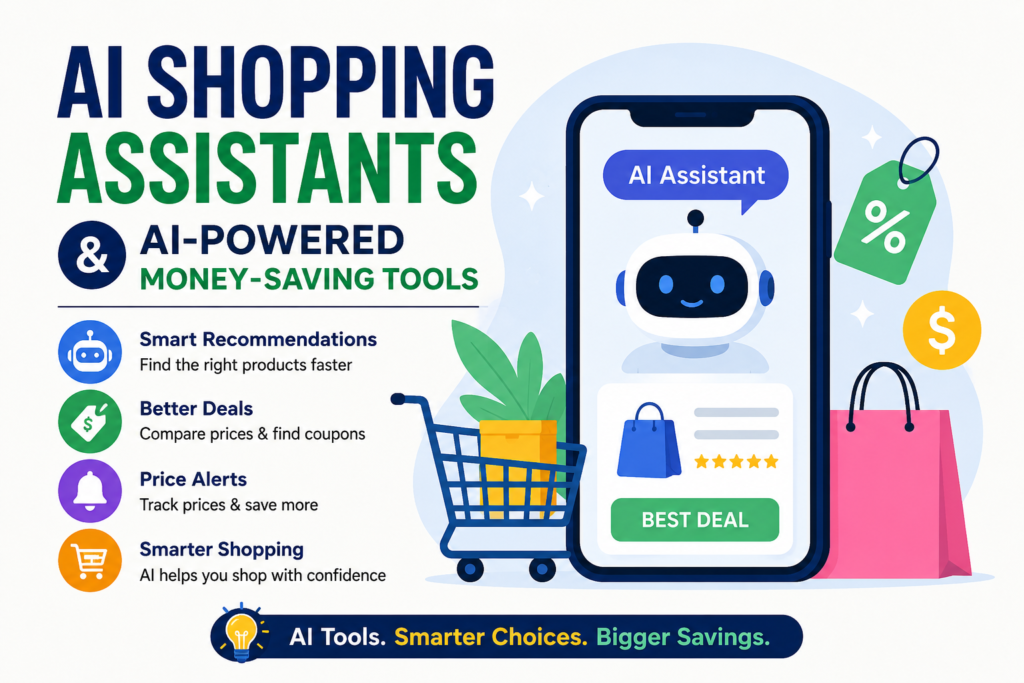
Today, AI shopping assistants can help you describe what you need in everyday language, compare products, summarize reviews, track prices, and sometimes even help you complete a purchase. Alongside them, AI-powered savings tools can search for coupons, compare offers, and alert you when prices drop.
That makes these tools useful for everyday shoppers, small business owners, and anyone trying to spend less without spending hours researching every purchase.
Google says its Shopping Graph contains more than 60 billion product listings, while its newer AI shopping features are designed to make product discovery and comparison easier.
But AI does not automatically mean the cheapest or best choice. You still need to check the seller, shipping costs, product specifications, return policy, and final checkout price.
Here is how to use AI shopping assistants and AI tools to save money more effectively.
What Are AI Shopping Assistants?
AI shopping assistants are digital tools that use artificial intelligence to help you search for, compare, evaluate, and sometimes purchase products.
Instead of typing a simple search such as “running shoes,” you can give the assistant more useful context.
For example:
“Find comfortable running shoes for beginners under $100, suitable for wide feet and everyday road running.”
The AI can interpret the different requirements and help narrow down your choices.
Amazon’s shopping assistant, formerly known as Rufus and renamed Alexa for Shopping in May 2026, can answer shopping questions, provide personalized recommendations, help compare products, and assist with price-related decisions.
Google is also adding AI-powered shopping features across Search, Gemini, and other products. Its shopping tools can help shoppers research products, discover options, and track prices.
For beginners, the biggest benefit is simple: you can ask questions instead of figuring out the perfect search keywords yourself.
What Can an AI Shopping Assistant Do?
Depending on the platform, an AI shopping assistant may help you:
- Find products that match a budget
- Compare several products
- Summarize customer reviews
- Explain technical specifications
- Find alternative products
- Identify discounts or deals
- Track product prices
- Recommend products based on specific requirements
- Help create shopping lists
- Find products using an image
Amazon India, for example, currently promotes AI features including Rufus, Lens AI, Review Highlights, Buying Guides, and Price History to help shoppers discover and evaluate products.
Best AI Tools for Shopping and Saving Money
There is no single best tool for every shopper. The right choice depends on whether you want product research, price tracking, coupons, or comparison shopping.
1. Amazon’s AI Shopping Assistant
Amazon’s AI shopping assistant is particularly useful when you already shop on Amazon.
You can ask conversational questions about products, request recommendations, and compare options based on your requirements. Amazon also says its assistant can help users find deals and, where available, set price-related purchasing actions.
For example, instead of searching through hundreds of products, you might ask:
“Show me a reliable wireless keyboard for office work under $50 with good battery life.”
You can then follow up with questions about reviews, features, or alternatives.
Amazon India also provides Price History information on supported products, making it easier to understand whether a current deal is actually worth considering.
2. Google Shopping and Gemini
Google’s shopping ecosystem is becoming increasingly AI-driven.
Google says its Shopping Graph contains more than 60 billion product listings, providing the underlying product data for its shopping experiences.
Google also offers price tracking in supported countries, including the United States, Canada, Australia, Japan, and India. You can select a product, set a target price when available, and receive notifications about price drops.
This is particularly useful for products you do not need immediately.
Rather than buying today, you can track the item and wait for a better price.
3. PayPal Honey
PayPal Honey focuses more heavily on coupons and offers than traditional AI shopping assistants.
The browser extension searches for available coupon codes and automatically tests applicable codes at checkout. PayPal says Honey searches and tests coupon codes across more than 30,000 popular sites.
This makes it useful for a simple money-saving habit:
Before paying, let the tool check whether a working coupon is available.
Even a small discount can matter when you shop frequently.
4. Capital One Shopping
Capital One Shopping is another useful option for price comparisons, coupons, and shopping rewards.
Its shopping tools can compare offers while considering factors such as shipping and taxes rather than looking only at the advertised product price.
That distinction matters.
A product advertised at $90 is not necessarily cheaper than one listed at $95 if the first seller charges substantially more for shipping.
Capital One Shopping also promotes coupons, personalized offers, and rewards.
| AI Shopping Tool | Best For | Key Features | Money-Saving Potential | Beginner-Friendly |
|---|---|---|---|---|
| Amazon Alexa for Shopping | Amazon product research | Product comparisons, recommendations, review insights, price-related features | High | Yes |
| Google Shopping & Gemini | Product research and price tracking | AI shopping research, product comparisons, price tracking, alerts | High | Yes |
| PayPal Honey | Finding coupons | Automatic coupon searching and testing, shopping offers | Medium to High | Very Easy |
| Capital One Shopping | Price comparison and rewards | Price comparisons, coupons, price-drop alerts, rewards | High | Yes |
| ShopSavvy | Comparing prices across retailers | Barcode and product search, price comparisons, price alerts | High | Yes |
| Klarna AI Shopping | Product discovery and comparisons | AI-powered recommendations, product search, comparisons | Medium to High | Yes |
Which AI Shopping Tool Should You Choose?
The best option depends on what you want to accomplish.
For shopping primarily on Amazon, Amazon’s shopping assistant is a convenient choice. For tracking prices and researching products across the web, Google Shopping can be more useful. PayPal Honey is worth considering when your main goal is finding coupon codes at checkout.
Capital One Shopping is particularly useful when you want a combination of price comparison, coupons, and shopping rewards.
The important point is that you do not necessarily need to use every tool. Choose one or two that fit your shopping habits and compare the final checkout price before you buy.
Price Disclaimer: Product prices, discounts, coupons, rewards, availability, and retailer offers can change frequently and may vary by country, seller, taxes, shipping costs, membership status, and product configuration. Always verify the current price and final checkout total directly with the retailer before purchasing.
How AI Tools Can Actually Save You Money
AI shopping tools are most useful when you use them as decision-making assistants rather than simply asking them to find something to buy.
One of the easiest ways to save money is to ask AI to compare the total value of several products.
For example:
“Compare these three laptops for office work. Consider price, battery life, warranty, RAM, storage, and customer complaints.”
This gives you a structured way to evaluate your options.
You can also ask AI to identify cheaper alternatives.
Try:
“Find alternatives with similar features but a lower price.”
Another useful approach is price tracking. Google Shopping, for example, supports price tracking and notifications in several markets.
Use AI to Challenge Your First Choice
One of the smartest ways to use AI is to ask questions that could prevent you from buying something unnecessarily expensive.
Try prompts such as:
“Do I really need the premium model?”
“What cheaper products have the same important features?”
“What specifications am I paying extra for?”
“Which features can I safely ignore?”
This is especially useful for electronics, appliances, software subscriptions, office equipment, and other higher-value purchases.
AI Shopping Tips for Small Business Owners
AI-powered shopping tools can also be useful for small businesses.
If you regularly purchase office supplies, packaging, electronics, furniture, marketing materials, or business equipment, a small difference in price can add up over time.
For example, you can ask an AI assistant to help compare:
“Find the best value printer for a small office. Compare purchase price, ink costs, warranty, printing speed, and long-term operating costs.”
This is better than asking only for the cheapest printer.
The lowest upfront price does not always produce the lowest overall cost.
You can also create a purchasing checklist and use it for repeated buying decisions.
For example:
“Before recommending a business laptop, check price, warranty, RAM, storage, processor, battery life, repairability, and return policy.”
That gives you a consistent framework instead of making every purchase based on a different set of criteria.
How to Use AI Without Overspending
There is an important downside to AI shopping assistants: they make shopping easier.
That can be good, but convenience can also encourage unnecessary purchases.
Before buying, ask yourself whether the product solves a real problem or simply looks attractive because an AI system recommended it.
You should also verify important details independently.
AI systems can misunderstand a product specification, rely on outdated information, or overlook differences between sellers.
Always check the actual retailer’s product page before paying, especially for expensive items.
Pay attention to:
- Final price at checkout
- Shipping and taxes
- Seller reputation
- Warranty
- Return policy
- Product size or compatibility
- Subscription requirements
- Coupon restrictions
For international shoppers, currency conversion and regional pricing can create additional differences.
A price that looks attractive in one country may become much less attractive after shipping, taxes, import duties, or currency conversion.
A Simple AI Shopping Workflow
You do not need several complicated tools to start.
A simple workflow can save time and reduce impulsive purchases.
First, define your budget.
Then tell an AI shopping assistant exactly what you need and what features matter most.
Next, compare at least two or three alternatives.
After that, check reviews and specifications, preferably from independent or reliable sources.
Then use a price-tracking or coupon tool before completing the purchase.
Finally, check the total checkout cost.
This process turns AI from a product-recommendation machine into a practical research assistant.
It is especially valuable for expensive purchases where spending 10 extra minutes researching can save much more than a small coupon.
FAQ About AI Shopping Assistants
Are AI shopping assistants free?
Many shopping features are available without a separate fee, although availability depends on the platform, country, account, and feature. Some shopping tools may also earn commissions or rewards from participating retailers.
Can AI shopping assistants find the lowest price?
They can help you compare prices, but you should not assume an AI recommendation is automatically the lowest final cost. Shipping, taxes, seller fees, coupons, warranties, and return policies can change the real value of an offer.
Which AI tools are best for saving money?
For product research, AI shopping assistants from major shopping platforms can be useful. For price tracking, Google Shopping offers price alerts in supported markets. For coupons, PayPal Honey and Capital One Shopping are practical options.
Can AI help me avoid buying the wrong product?
Yes. One of the best uses of AI is asking it to compare products against your actual requirements. You can ask about specifications, compatibility, alternatives, reviews, and potential drawbacks before purchasing.
Are AI shopping recommendations always reliable?
No. Treat AI recommendations as a starting point for research. Verify important specifications, prices, availability, warranties, and seller information directly with the retailer or manufacturer before making an important purchase.
Final Thoughts
AI shopping assistants are becoming useful tools for everyday purchasing. They can help you research products faster, compare options, understand reviews, track prices, and find potential discounts.
The best results come when you stay in control of the decision.
Give AI a clear budget. Explain what you actually need. Ask for cheaper alternatives. Check price history when available. Look for coupons before checkout. And always verify the final deal yourself.
Used that way, AI can become one of the more practical AI tools to save money, rather than simply another way to shop faster.